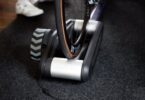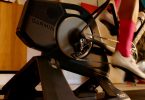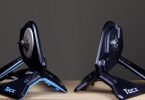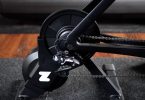

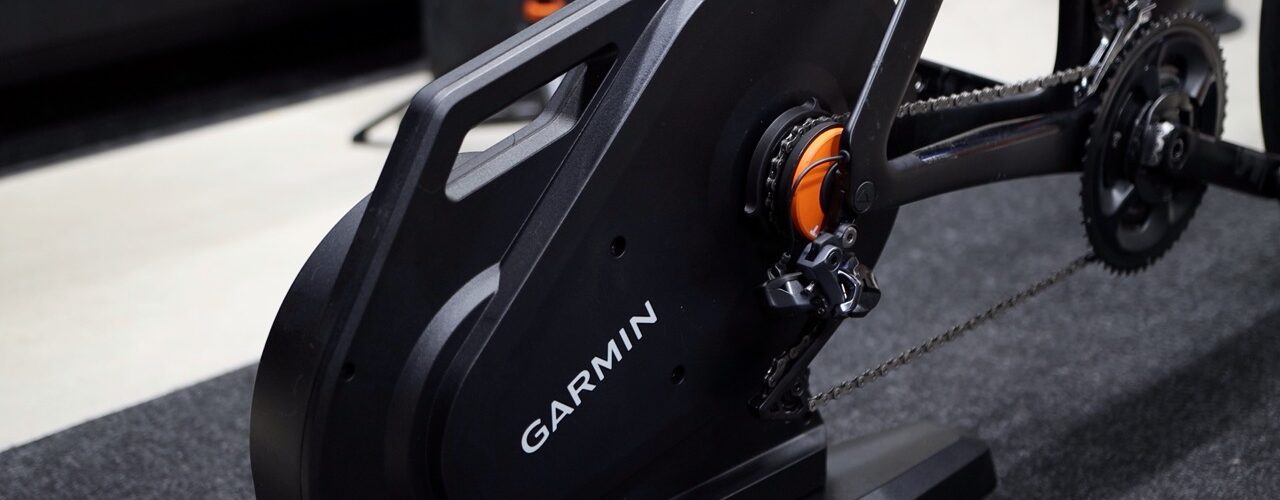
Garmin just released a brand-new Tacx smart trainer, the Tacx Nēra. And it was a pretty quiet launch. When it was announced, there were no reviews out, and I didn’t hear anything from Garmin.
When a company launches a thousand-dollar trainer that quietly, you have to wonder why. So I bought one with my own money and spent about two weeks riding it. I tested power accuracy on six rides against Favero Assioma Duo pedals and a Power2Max NG crank, and lined up every file second by second.
On paper, the Nēra has pretty much everything you could ask for: built-in motion, Wi-Fi, virtual shifting with the Zwift Cog, and a price that’s half of what the Tacx NEO 3M cost at launch. Garmin also says it’s accurate to within one percent, with no calibration needed. That last part is where things got interesting.
Quick take
If you just want the short version, here it is:
What I liked
- Really good ride feel
- Built-in side-to-side motion for $1,000
- Smooth ERG mode and solid virtual shifting with the Zwift Cog
- Easy setup, folding legs and a carry handle
- Wi-Fi, Bluetooth and ANT+, plus Zwift Race Mode
What I didn’t
- Power was well outside the ±1% claim on the first few rides
- Even after settling, it reads a bit low above about 200 watts
- Noticeably louder in the big chainring
Bottom line: after about five rides and a firmware update, the Nēra is accurate and consistent up to around 200 watts. If you race, test your FTP indoors, or spend a lot of time around or above 200 watts, keep reading.
What is the Tacx Nēra?
The Tacx Nēra is a $999.99 direct drive smart trainer, meaning you take your rear wheel off and mount the bike right onto it. It comes in two versions at the same price: one with a regular 11-speed cassette, and one with the Zwift Cog and Zwift Click for virtual shifting. I went with the Zwift Cog version.
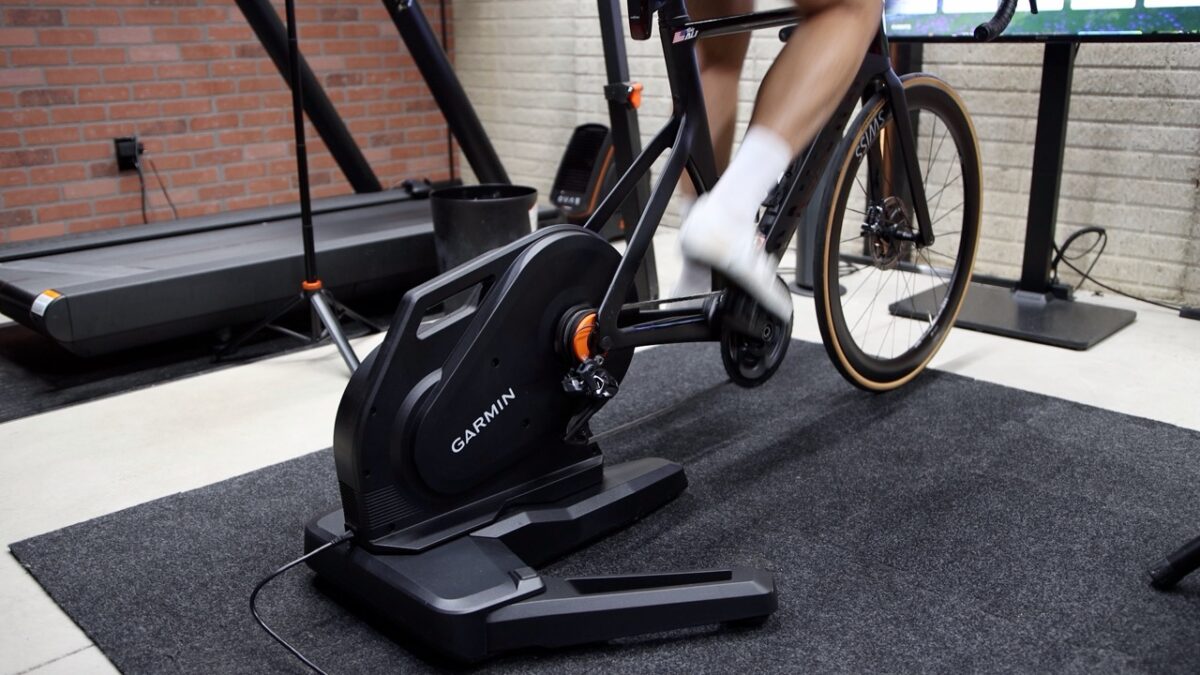
It connects over Wi-Fi, Bluetooth and ANT+, so it’ll work with pretty much any app or bike computer. One heads-up though: ANT+ is turned off out of the box, so you’ll need to switch it on in the Tacx Training app.
| Spec | Tacx Nēra |
|---|---|
| Price | $999.99 |
| Versions | 11-speed cassette, or Zwift Cog & Click |
| Drive | Direct drive, belt-driven flywheel |
| Flywheel | 6.1 kg / 13.5 lb |
| Max power | 2,200 W |
| Max simulated climb | 20% |
| Claimed accuracy | ±1% power and cadence |
| Calibration | None needed (automatic spindown) |
| Motion | Built-in motion pods |
| Connectivity | Wi-Fi, Bluetooth, ANT+ (off by default) |
| Zwift Race Mode | 10 power readings per second |
| Weight | 24.7 kg / 54.5 lb |
| Axles | Quick release and thru-axle |
| Zwift Cog compatibility | 8–13 speed drivetrains |
The legs fold and there’s a handle, so it’s easy enough to move around. But at about 54 pounds, it’s still heavy, so watch your back.
Setup and the Tacx Training app
Setup is about as easy as it gets. You slide the trainer into the base, flip it over, and tighten four bolts with the hex key that’s in the box. Then you unfold the legs until they click into place, plug it in, and you’re pretty much done.
From there, you’ll need the Tacx Training app. Even if you plan to ride in Zwift, the app is where you update the firmware, connect the trainer to Wi-Fi, turn on ANT+, and change the other settings. The trainer goes to sleep on its own when you’re not using it, and it wakes up as soon as you start pedaling. You only need the pairing button on the side the first time you connect it to a new app or device.
Once it’s on Wi-Fi and plugged in, it’s supposed to install firmware updates on its own. In my case, a new update sat there for two days, and I still had to install it myself. So if you own a Nēra, open the app and check your firmware.
The app also lets you pair a heart rate strap directly to the trainer, which then passes your heart rate along to your training app. My Coros heart rate band and my Polar H10 both paired with no problem. My Wahoo TICKR wouldn’t pair at all, so your mileage may vary there.
Ride feel, motion and noise
This is where the Nēra shines. The ride feel is really good, and pedaling feels smooth.
The motion pods are well done too. You get a decent amount of side-to-side rocking as you pedal, but it’s not as dramatic as a rocker plate. Garmin also says the trainer moves forward and back, but honestly, I didn’t feel any fore-aft motion. And if you already own a rocker plate, Garmin says not to use it with the Nēra, so this one goes straight on the floor.
Noise-wise, it’s quiet in the small chainring. Shift to the big chainring and it gets a lot louder. To be fair, some of that noise is coming from my chain, not just the trainer.
With the Zwift Cog, the general advice is to ride in the small chainring anyway. But not every bike has one. A lot of triathletes are running a single big chainring on their tri bikes these days, and if that’s you, you’re stuck with the louder setup. So if you ride early in the morning while everyone’s asleep, keep that in mind.
ERG mode, virtual shifting and Race Mode
ERG mode is very solid. Transitioning through intervals is smooth, the resistance changes without any harsh jumps, and it holds the target nicely once it settles in. And if structured ERG workouts aren’t your cup of tea, you can turn ERG off and control the resistance yourself, either with virtual shifting or by adjusting the trainer resistance in the Zwift menu. Both work well.
Virtual shifting with the Zwift Cog and Click works well too. In sim mode, the trainer changes resistance quickly to match the terrain, so you feel every climb and descent.
The Nēra also supports Zwift Race Mode. It sends 10 power readings per second to Zwift, so it reacts faster, which is helpful when racing.
Tacx Nēra power accuracy: my test results
Here’s how I tested it. Over about two weeks, I did six rides on the Nēra. On every ride after the first, I also recorded power from Favero Assioma Duo pedals and a Power2Max NG crank, each on its own head unit. Then I lined up all three files second by second, so I could see exactly where the Nēra agreed with the other two, and where it didn’t. The pedals and the crank agreed with each other within a couple of watts on every ride, which is what makes the Nēra’s gaps stand out.
| Ride | Workout | Firmware | What I saw |
|---|---|---|---|
| Nov 4 | First ride (vs Magene P715 only) | 7.01 | Started about 3% low, jumped after I stopped pedaling, finished 8–9% high |
| Nov 8 | Threshold, 1-min efforts, sprints | 7.01 | Spot on at 250–290 W, but 10–13 W high below 150 W (7–15%). Big sprint matched the pedals at 764 W |
| Nov 10 | 1-min efforts and 30-s sprints | 7.01 | Within 1% over the whole ride, but a few percent high on short, hard efforts |
| Nov 12 | ERG staircase, 100–275 W | 7.01 | Hit its own targets, but read 3 W low at 200 W and 8 W low at 275 W (about 3%) |
| Nov 15 | 3-hour endurance, 135–172 W | 7.02 + spindown | 14 of 15 blocks within about a watt; 225 W checks still 2–6 W low |
| Nov 17 | ERG staircase retest | 7.02 + spindown | Within 1% up to 200 W; 1.5–2.3% low at 225–275 W |
What bothered me the most was that the gap kept moving from ride to ride. When I compared the first four rides at the same 200 watts, the Nēra went from about 9 watts high, to 6, to 1, to 4 watts low. Same trainer, same bike, same firmware, no setup changes. Think of it like buying a nice watch that’s five minutes fast one day, two minutes slow the next, and right on time the day after. You’d never really know which day you’re getting.
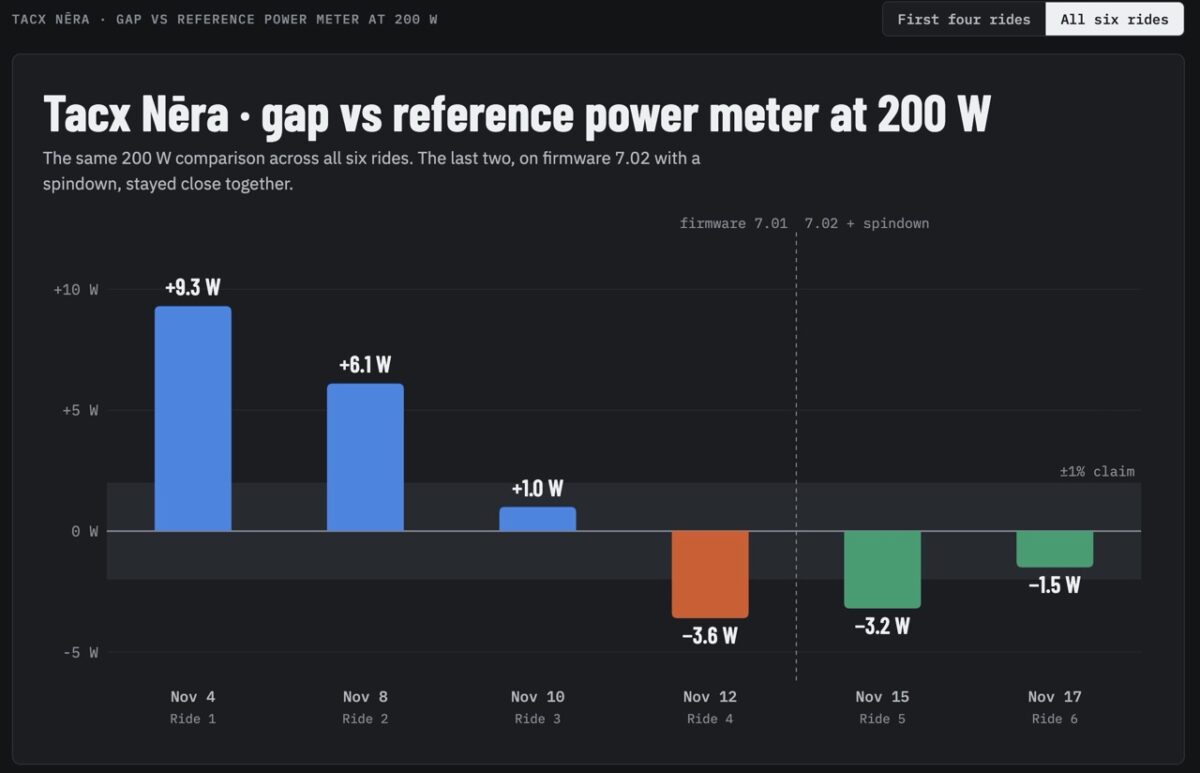
After firmware 7.02 and Garmin’s spindown advice (more on that below), the last two rides were the best the Nēra looked. On the three-hour endurance ride, the gap barely moved over two and a half hours. And on the staircase retest, every step above 175 watts got a little closer to the pedals than the first time. But the shape didn’t change: the harder you push, the lower it reads.
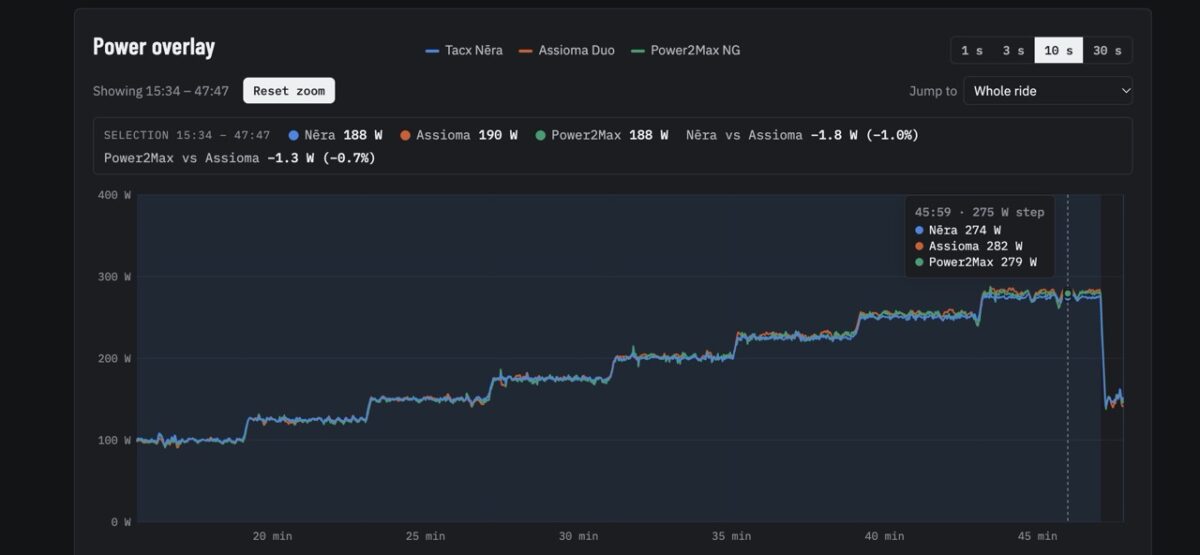
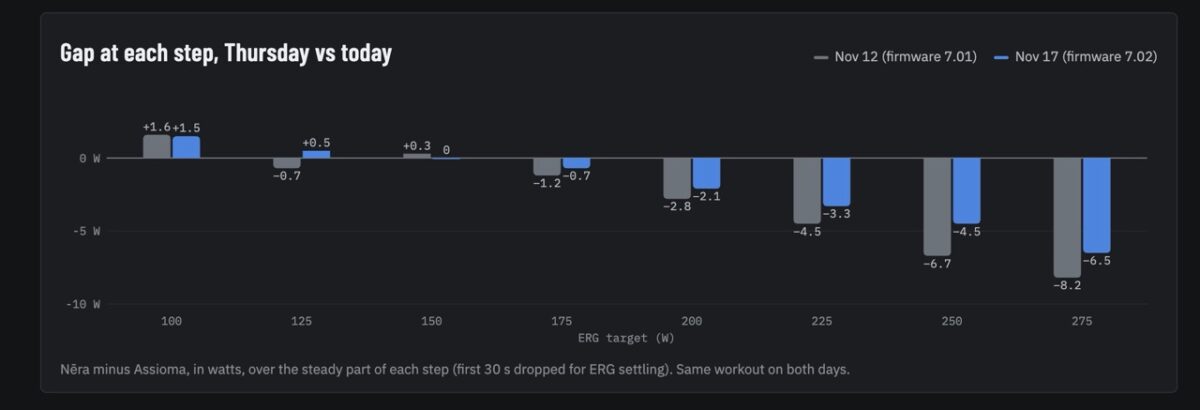
So where does that leave us? After about five rides and a firmware update, the Nēra appears to have settled down. Up to about 200 watts, it’s accurate and seems to be consistent. Above 200 watts it reads a bit low, and on short, hard efforts around 300 watts it reads a bit high, while big all-out sprints seem to be spot on. And for those first few rides, it was well outside Garmin’s one percent claim.
What Garmin said
Since I bought this trainer myself, I reached out to Garmin with my findings and gave them a chance to comment before publishing. And they did get back to me.
Here’s the short version. Garmin told me the Nēra has an auto spindown feature that corrects for mechanical losses inside the trainer. Those losses change over time, especially when the trainer is brand new, so there’s a run-in period, and how long it takes depends on how much you ride. If you’re concerned about power accuracy, they recommend warming up for at least five minutes, then accelerating briefly and letting the trainer coast for a few seconds. They also said firmware 7.02 includes improvements to those spindown algorithms that should help with accuracy, even though the release notes don’t mention it.
That lines up with what I saw. The first few rides were all over the place, and it got better and more consistent over time.
But here’s my issue. None of this is in the manual. The manual says no calibration is needed, and there’s nothing about a run-in period or coasting to trigger a spindown. And if you mostly ride ERG workouts like I do, you almost never coast. So most people would never know they need to do this.
Verdict: should you buy the Tacx Nēra?
There’s a lot to like here. The ride feel is really good, the motion is well done, ERG is smooth, and virtual shifting with the Zwift Cog works nicely. Setup is easy, and for a thousand dollars you’re getting motion built right in, which you usually pay a lot more for.
But it’s not perfect. It’s on the quiet side, but it gets louder in the big chainring, which matters if you ride a tri bike with a single big ring. My Wahoo TICKR wouldn’t pair for heart rate bridging. And the firmware didn’t update on its own like it’s supposed to.
The bigger issue for me is power accuracy. It did get there eventually. After about five rides and a firmware update, it’s consistent and accurate up to about 200 watts. Above that, it reads about 1.5 to 2.5 percent low between 225 and 275 watts. And for those first few rides, it was well outside the one percent Garmin claims, with nothing in the manual telling you to expect that. Going back to that watch: if I pay good money for one, I expect it to keep good time from day one, not after a week of running fast and slow.
Personally, at this price, I expect power to be within spec from the first ride. In my experience, the Wahoo KICKR Core and KICKR 6 do that right out of the box. That said, if Garmin keeps improving the Nēra with firmware updates, I’ll keep an eye on it.
Do you own a Nēra, or are you thinking about one? Let me know in the comments.
Tacx Nēra FAQ
Is the Tacx Nēra accurate?
In my testing, it wasn’t within the ±1% claim on the first few rides. After about five rides and firmware 7.02, it was accurate and consistent up to about 200 watts, but still read about 1.5 to 2.5 percent low between 225 and 275 watts.
Does the Tacx Nēra need calibration?
Garmin says no manual calibration is needed. The trainer runs an automatic spindown when you accelerate briefly and then coast for a few seconds. Garmin recommends doing that after a warm-up of at least five minutes if you’re concerned about accuracy.
Does the Tacx Nēra work with Zwift?
Yes. It works with Zwift over Wi-Fi, Bluetooth or ANT+, supports Zwift Race Mode, and the Zwift Cog version handles virtual shifting with Zwift Click.
Does the Tacx Nēra have motion?
Yes, it has built-in motion pods. I felt a decent amount of side-to-side rocking, but I didn’t notice any fore-aft movement. Garmin says not to use it on a rocker plate.
How much does the Tacx Nēra cost?
$999.99, for either the cassette version or the Zwift Cog & Click version.